Customize Your Checkout Experience with Eukapay’s Branding Tools
June 18, 2024
How to Customize Your Checkout Experience with Eukapay’s Branding Tools
Branding is a key aspect of your business’s identity, allowing you to create a consistent look and feel that resonates with your customers. With Eukapay, you can customize your payment or checkout links to align with your brand’s theme by displaying your business logo and color scheme. Here’s a step-by-step guide on how to customize your business branding with Eukapay.
Step 1: Log In to Your Eukapay Account
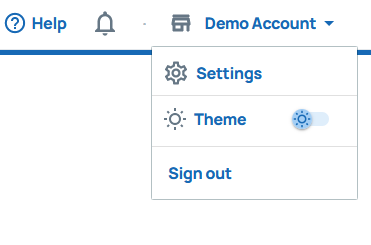
To get started, log in to your Eukapay account. Click on your profile name in the upper right corner of the website to access the Settings menu.
Step 2: Navigate to the Branding Settings
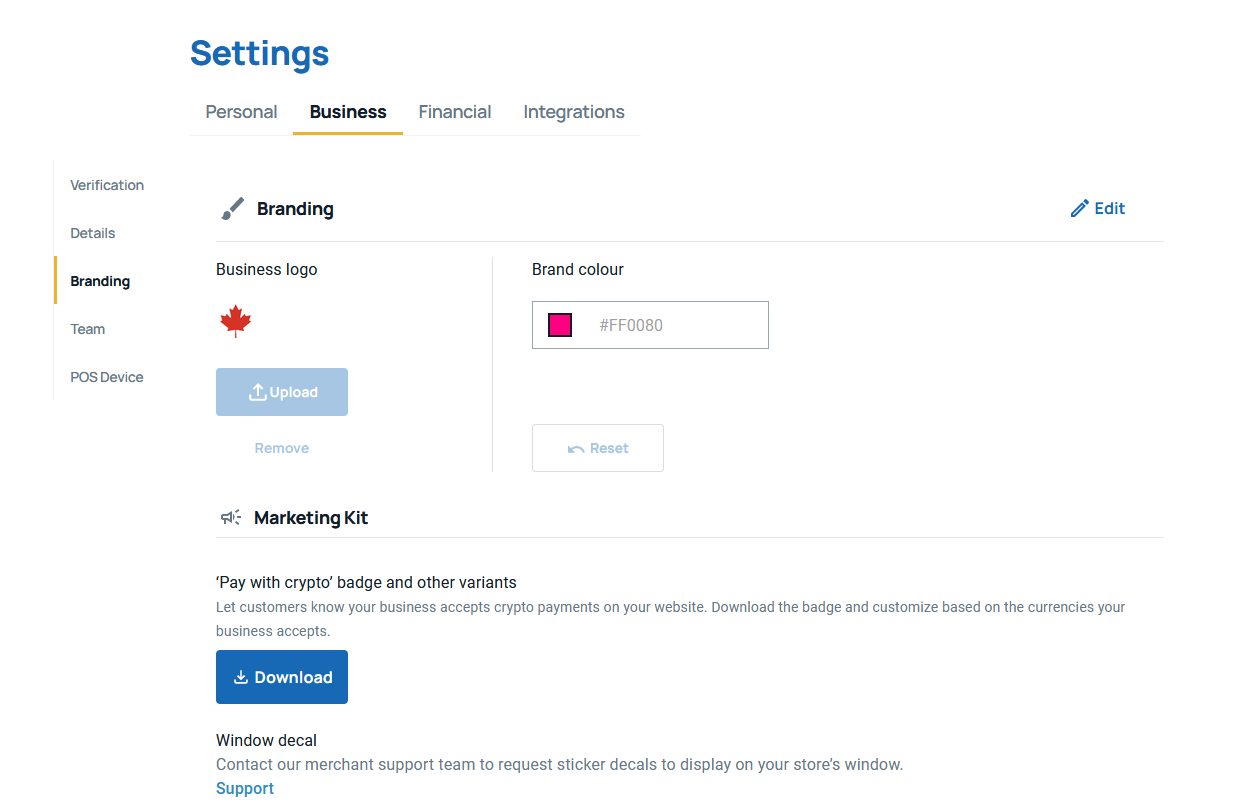
After accessing the Settings menu, find the
Business
tab. Click on it, and then select
Branding
from the left-side panel. This is where you’ll be able to customize the visual aspects of your payment and checkout links.
Step 3: Customize Your Brand Logo and Color Scheme
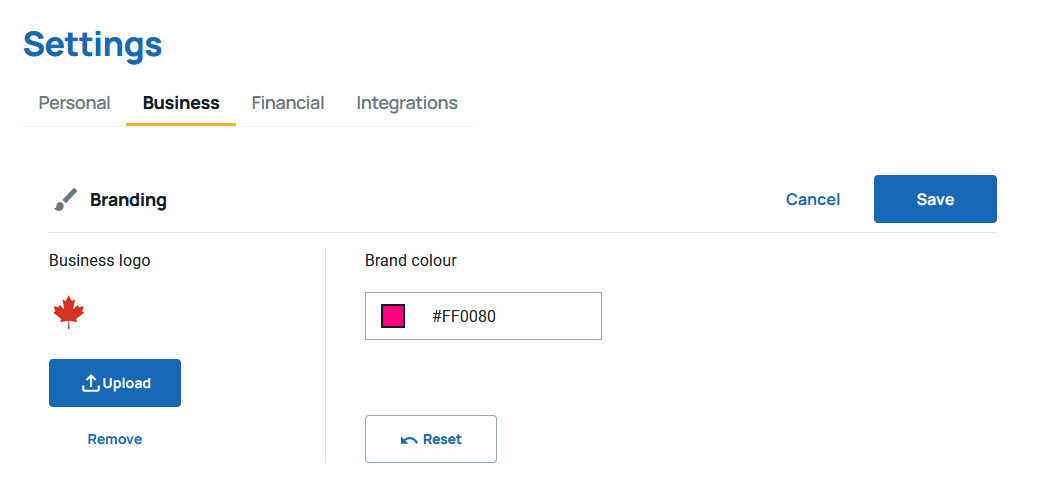
In the Branding section, click
Edit
to start customizing your brand’s look. You can upload your business logo and select your desired color scheme by entering the hexadecimal color code (e.g.,
#ff5733
for a specific shade of orange).
Upload Brand Logo:
Click on the logo placeholder to upload your business’s logo from your computer. Make sure the logo is clear and high-quality to ensure a professional appearance.
Choose Your Brand Color:
Enter the hexadecimal color code for the primary color you’d like to use in your branding. This color will be used across your payment and checkout links to maintain consistency with your business theme.
Once you’ve made your changes, click
Save
to apply the new branding.
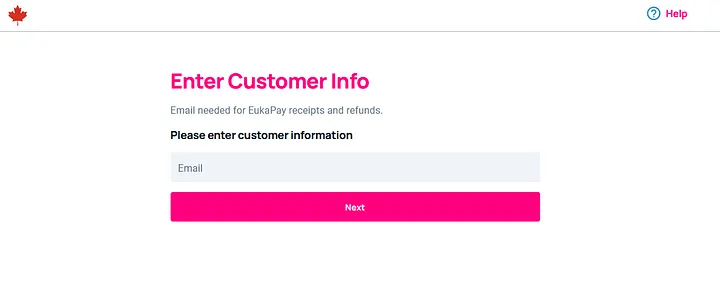
Step 4: Sample Customized Payment/Checkout Link
After customizing your branding, you can see how it reflects on your payment and checkout links. This step ensures that your branding changes are applied correctly.
Additional Tips
Consistency is Key:
Make sure your branding across Eukapay matches your business’s overall look, including your website, marketing materials, and other customer-facing elements.
High-Quality Images:
Use high-quality images for your logo to ensure a crisp and professional appearance.
Test Your Links:
After customizing, test your payment and checkout links to ensure they display correctly on various devices and browsers.
Ready to enhance your brand’s presence with EukaPay’s tailored payment solutions? Customize your checkout experience today by personalizing your payment or checkout links using our Branding Tools.
Begin the transformation journey by
to your EukaPay account, then navigate through our comprehensive settings and unleash a new level of brand consistency with your customized business logo and color scheme. Don’t miss out on this opportunity to make an impactful statement — update your checkout experience now!
Products
Use Cases
© 2026 EukaPay. All rights reserved.
FINTRAC: M22233887